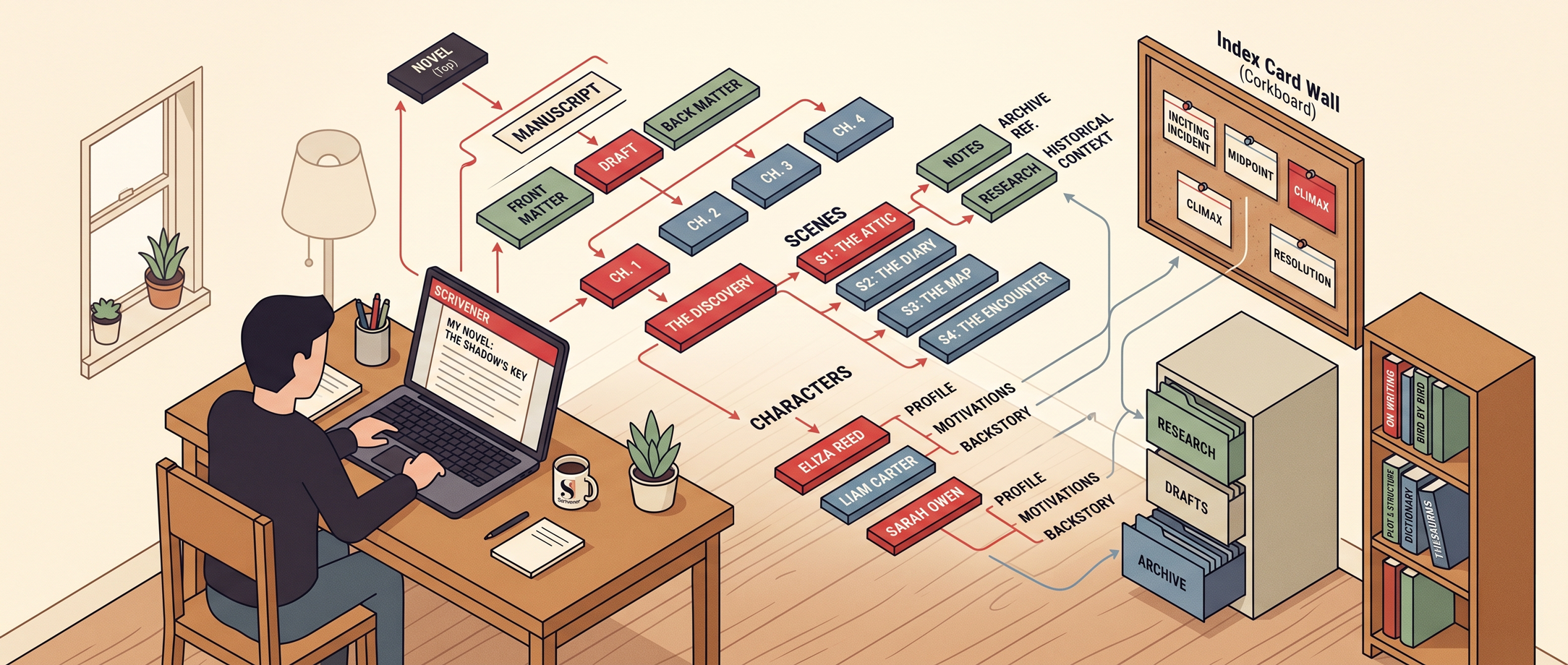
Every single thing I wish someone had told me before I opened Scrivener for the first time.
Organize your entire project in one place
Every chapter, note, and research link lives exactly where you can find
it in seconds. No more digging through 47 browser tabs and 12 Word docs
to find that paragraph you swore you'd remember.
The Binder
Move your work-in-progress into Scrivener
Even a 200-page Word doc. A secret one-keystroke trick splits every
chapter automatically. No losing words, no copy-paste marathons.
Import & Split
Tame a mountain of research in two clicks
Pull up any article, web page, PDF, photo, or voice note side-by-side
with your writing. Never again "lose" the perfect quote or reference.
Research Pane
Always know what to write next
The moment you open your laptop. This one habit alone can add hundreds
of words to your day because you stop wasting the first 30 minutes.
Daily Workflow
Set up Scrivener in under 20 minutes
For your unique writing style, without touching the 900-page manual.
You only need 10% of Scrivener's features to start writing today.
Quick Setup
Turn the corkboard into your story lab
See your whole project at a glance, rearrange scenes with a drag, never
lose track of an idea again. One big project or fifteen.
The Corkboard
Organize characters and plot threads with Spielberg-like clarity
A 100,000-word manuscript with 20 characters and 200 research files
reduced to one scrollable view. Bird's-eye, two clicks.
The Outliner
Color-code your project like a pro
The entire shape of your book, visible in one glance. The feature
long-time Scrivener users scream about when they finally discover it.
Labels & Colors
Set up a writing schedule that finishes your book
Know exactly how many words to hit each day to finish by the deadline
you care about. No more guessing. Just a green progress bar.
Project Targets
Write with the focus of an Olympian
Scrivener's distraction-free Compose Mode. A full-screen writing
environment that makes Word feel like working inside a slot machine.
Compose Mode
Turn yourself into a writing machine
Little-known labeling tricks for anyone juggling a novel, non-fiction
book, blog, or dissertation. Including the "saved search" feature.
Keywords & Labels
Take a Snapshot before you rewrite anything scary
Edit fearlessly. Roll back to any previous version with one click.
Goodbye track-changes headaches, hello guilt-free editing.
Snapshots
Export and share your writing in any format
Word, PDF, ePub, print, agent-ready manuscript. Get your work into the
hands of readers, editors, and agents without a formatting nightmare.
Compile & Export
Plus · Live on the Call
Live Q&A with Joseph
Bring your stuck projects, your "why won't this work?" frustrations, and your "am I the only one who can't figure this out?" worries. I'll answer them live on the call.