Opening the official interactive tutorial, making it to step four, and deciding that maybe a paper notebook isn't such a bad idea after all.

You bought Scrivener because you wanted one calm place for your manuscript, research, notes, chapters, and ideas. Then you opened it, saw the Binder, the Corkboard, and something called Compile, and went back to writing in Word.
The Scrivener Rescue Library gives you 10 calm, plain-English guides and interactive tools for the moments writers actually get stuck. Set up your project. Move your writing into one place. Fix the parts that keep confusing you. Get your book back out when it's ready.
14-day guarantee · Mac and Windows
You wanted one calm place for your manuscript, your research, your notes, your chapters, your scenes, your ideas, and the random little scraps you were absolutely sure you'd remember later.
You pictured yourself opening Scrivener in the morning with a cup of coffee, clicking into your project, and knowing exactly where everything was.
Very writerly. Very organized. Very "look at me finally having my life together."
And then you opened Scrivener.
There was a Binder. There was a Corkboard. There was something called Compile, which sounds like something a computer should do while wearing a little lab coat.
There were folders that weren't quite folders. Documents that weren't quite documents. Templates. Labels. Status. Metadata. Section Layouts. Collections.
And at some point, you thought…
"Maybe I'll come back to this later."
Which, in writer language, often means, "See you in eighteen months."
Here's the thing. If Scrivener has ever made you feel confused, behind, intimidated, or secretly a little embarrassed… that doesn't mean you're bad with technology.
It means Scrivener is powerful software with a terrible welcome mat.
And that's exactly why I created The Scrivener Rescue Library.

Instead of giving you another giant course to work through… or another 900-page manual to "reference"… or another random YouTube rabbit hole where the person teaching is using a different version, on a different computer, from seven years ago…
The Scrivener Rescue Library gives you a practical, self-serve rescue system for the moments writers actually get stuck.
Not theory. Not "master every feature." Not "become a Scrivener power user before lunch."
Just calm, plain-English help for getting from:
"I have no idea what I'm looking at."
→ "Okay. I know what to do next."
That's the win.
Maybe you bought it last week. Maybe three years ago. Maybe so long ago that you're not even sure which email address you used. No judgment. I've personally created folders called "final final real final use this one," so I'm not exactly throwing stones over here.
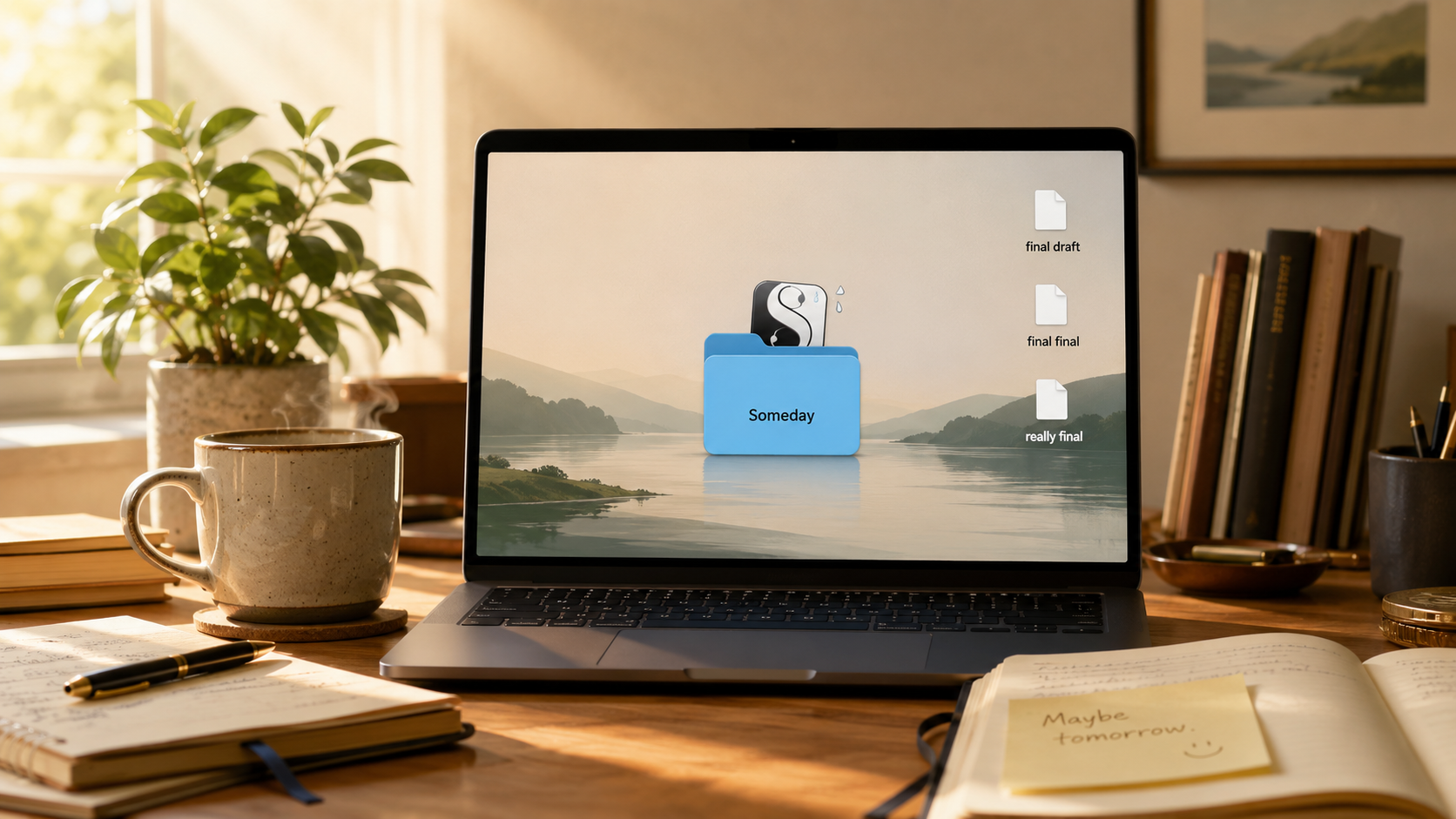
You've probably tried at least one of these…
Opening the official interactive tutorial, making it to step four, and deciding that maybe a paper notebook isn't such a bad idea after all.
Falling down a YouTube rabbit hole where someone using a 2014 version of Scrivener speaks so fast you have to pause just to find the Inspector button.
Reading a 2,000-word blog post that perfectly explains one tiny, obscure feature but never connects to how you'd actually use it in your book.
Using a powerhouse piece of software as a very expensive, glorified Word processor, with a small wave of guilt every time you click the icon.
Panic-exporting your entire manuscript back to Microsoft Word at 2 a.m. because at least Word's brand of chaos is familiar.
Telling yourself, "I'll figure this out after I finish the draft." Which is funny, because Scrivener was supposed to help you finish the draft.
How many of those did you read and quietly nod at? If even two felt familiar, this Library was built for you.
If any of that feels uncomfortably familiar, welcome. You're exactly who I built this for.
A practical library of guides, checklists, and interactive tools organized around the three places writers get stuck.
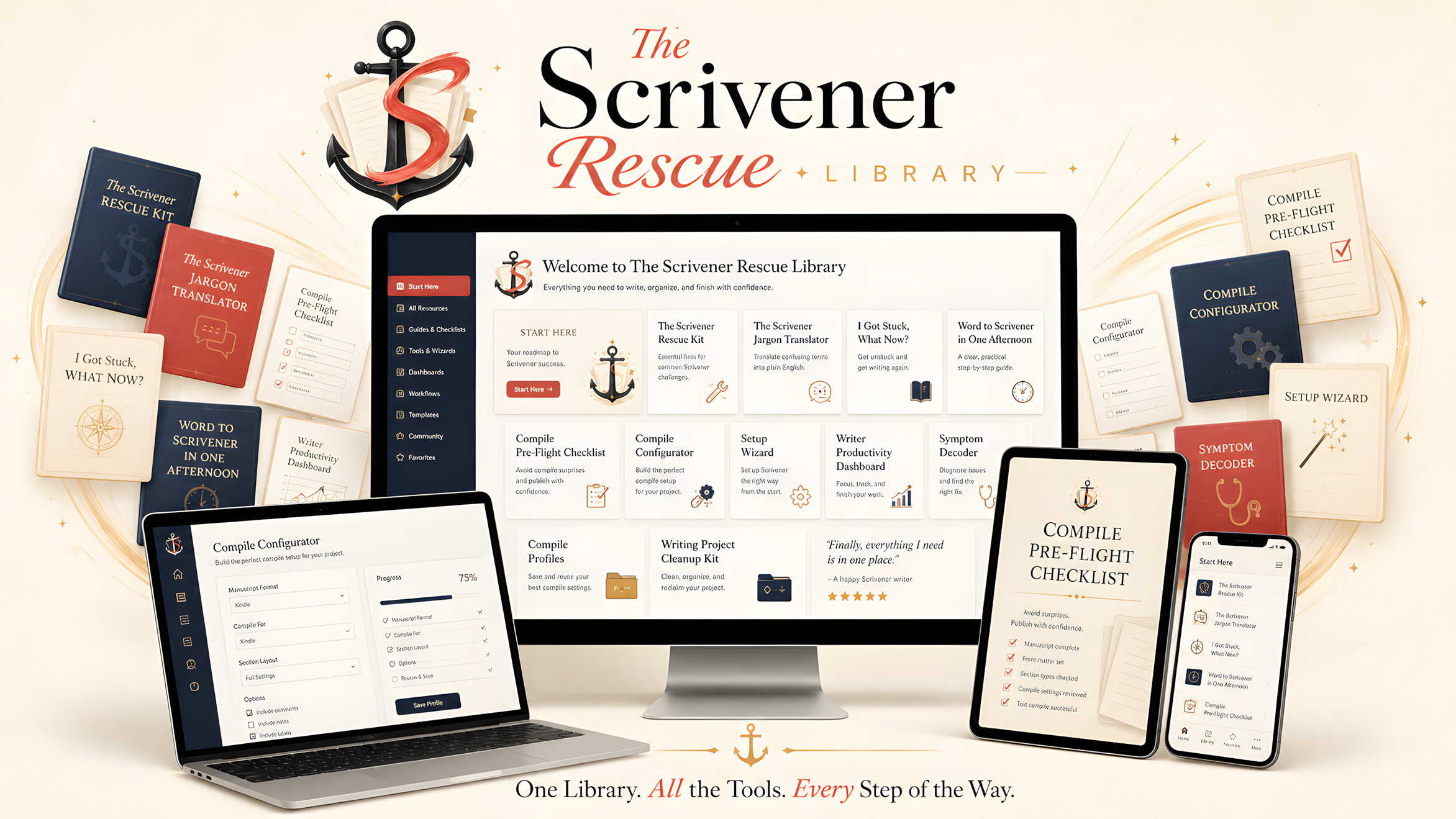
Pick the right template, structure your project, and stop dragging things around hoping for the best.
Translate the jargon, fix the symptoms, track your finish line, and keep moving without spiraling.
Four guides dedicated to Compile, because that's where writers leave the most bruises.
Because nobody wants to read a chapter about Compile when all they're trying to do is figure out where Chapter 3 went.
No fluff. No filler. Just the calm, plain-English answers writers have been quietly Googling for years.
and the 5 you absolutely need to learn first. (Most writers reverse this list, spend three weeks trying to master the wrong things, and then quietly quit.)
and the calm "start here" sequence that gets your project perfectly organized before lunch instead of overwhelmed by dinner.
Get this one wrong, and Compile will haunt your formatting for the rest of your manuscript. (Hint: It's probably not the word you're thinking of.)
How to move every scattered Word chapter, sticky note, and Chapter_12_FINAL_final_v3.docx file into Scrivener in a single afternoon, without breaking your book or losing your mind.
that handle 95% of what writers actually need to export. Never stare at Compile's 200-setting, airplane-cockpit control panel again.
that hands you the exact export path you need based on who is reading your book next. Send the perfect file to an agent, editor, or self-publishing platform without guessing a single background setting.
that catches embarrassing export disasters before you click Compile, saving you from sending a broken, unformatted PDF to your agent, editor, or formatting team.
that diagnoses missing chapter titles, ghost front matter, and weird page breaks in under 60 seconds. Even if you have no idea what button you clicked to cause the mess.
Binder, Compile, Scrivenings, Section Layouts, Metadata. All decoded in one place, so you can stop guessing what the software is yelling at you to do.
that tells you exactly how many words you have left and when you'll actually be done. No complex spreadsheets. No guilt trips. No ridiculous 4:30 a.m. writing sprints.
for those moments when you accidentally click a mystery shortcut and your layout completely changes. Get instant, symptom-based fixes for "My text vanished" or "Everything looks weird" without opening a single technical manual.
and the simple, one-weekend shift that permanently ends the procrastination loop so you can get back to doing what you love: writing.
That's the short version. Here's what's actually inside ↓
Already convinced? Skip the rest of the read and grab it now.
Yes, give me the Rescue Library for $77Or keep reading for the full breakdown of all 10 assets.
Each one is a focused, self-serve rescue for a specific moment writers get stuck. Skip around. Use what you need. Ignore the rest until you need it.

Your Scrivener first-aid manual. Not the giant manual. The first-aid one.
This is the anchor guide of the entire library. The one you open when you need someone to say, "Start here. Ignore that. Click this. You're doing fine."

Solves the blank-project problem in a few clicks.
Answer a few simple questions and the Wizard recommends a project structure based on what you're writing.
By the end: Your project structure decided in under 10 minutes, before you've dragged a single document.

For everyone with a folder full of Chapter 12 revised final FINAL ignore other one.docx
Most writers don't start fresh. They start with a Word document. Or five. Or a folder full of chapters, notes, research, and one file that hurts to look at.
Good news: we're not breaking your book. We're rescuing it.
By the end: Your entire Word manuscript, properly chaptered and ready to write in, in one afternoon.

No academic explanations. No software-speak.
Finally understand what these words actually mean, and which ones you can ignore until you need them:
Each entry tells you here's what this means, why it matters, and when you actually need to care. That last part is the important one.

Organized by symptom, not by feature.
Most Scrivener help is organized by feature. That's useful if you know the name of the feature. But when you're stuck, you usually don't. You don't say "I need clarification on editor focus." You say:
Each issue gets a calm explanation and a practical next step. No panic required. Maybe a little coffee. But no panic.
If Compile has ever made you close your laptop and walk outside, the next four were written for you.

Compile, decoded.
You spend all this time getting your book into Scrivener, organizing it, writing it, feeling like maybe you finally have the hang of things… then you click Compile and Scrivener acts like you're preparing documents for the Pentagon.
Instead of asking you to understand every option, the Configurator asks practical questions:
Then it points you toward the right export path. Doesn't make Compile "simple," let's not get carried away. But it does make it much less mysterious.
By the end: A clear export path for your specific project, instead of staring at 200 settings hoping you don't break it.

Less staring at the cockpit of a 747.
Don't start from scratch every time you need to get something out of Scrivener.
You can refine things later. First, let's just get the thing out of Scrivener.

A one-page sanity check.
You know that feeling when you export something, open the file, and immediately think "Well, that's not right"?
Not glamorous. Very useful. A bit like checking that you have your wallet before leaving the house. You only appreciate it the one time you don't.

For the moment after you say, "Okay, what did I do?"
Sometimes Compile works. Sometimes Compile produces a document that looks like it had a long night.
You'll get a plain-English explanation of what probably happened and where to look first. The answer, by the way, is usually: nothing terrible. Compile is just fussy.

A finish-line calculator and simple progress tracker.
Stop living in vague writing guilt. Answer the questions that actually matter:
Not in a shamey way. Not in a "wake up at 4:30 a.m. and write 10,000 words before breakfast" way. Just a clear, calm, realistic way. Because writers don't need more pressure. We need momentum.
By the end: A real finish date, a daily target you can actually hit, and a plan that survives missing a day.
The smartest $17 you'll spend in this entire process.
Most writers try to move into Scrivener too early. They have notes in Apple Notes. Research in browser bookmarks. Old drafts in Word. A scene they copied into an email to themselves in 2019 for reasons nobody can fully explain.
The Cleanup Kit helps you gather and sort everything before you bring it into Scrivener.
Especially recommended if you have writing in 3+ places right now. Adding the Cleanup Kit takes your total Rescue value from $460 to $477 for an extra $17. It pays for itself in the first 30 minutes of not asking, "Where did I put that scene?"

Together, these tools represent three months of writing the guides, designing the interactive tools, and testing every step. Plus 11 years of teaching Scrivener and feedback from more than 100,000 writers. Sold individually, fair pricing would land around $460. Yours for $77 during launch week.
| Asset | What it helps you do | Value |
|---|---|---|
| The Scrivener Rescue Kit | Know what to ignore, what to learn first, and how to begin calmly | $47 |
| The Scrivener Setup Wizard | Choose the right project structure for your type of writing | $67 |
| Word to Scrivener in One Afternoon | Move your existing manuscript from Word into Scrivener | $47 |
| The Scrivener Jargon Translator | Understand confusing Scrivener terms in plain English | $27 |
| "I Got Stuck, What Now?" Guide | Fix common Scrivener problems by symptom | $37 |
| The Compile Configurator | Choose the right export path based on what you need | $67 |
| 6 Pre-Built Compile Profiles | Start with common export setups instead of a blank slate | $57 |
| Compile Pre-Flight Checklist | Catch common issues before exporting | $27 |
| Compile Symptom Decoder | Diagnose what went wrong after export | $37 |
| Writer Productivity Dashboard | Calculate your finish line and track progress | $47 |
| Fair value, sold individually | Everything above, bundled into one Rescue Library | $460 |
| + Writing Project Cleanup Kit (optional add-on) | Clean up scattered files before importing into Scrivener | $17 |
Total value: $460. Your launch price today: $77.
You save $383 when you grab it during launch week.
Since 2015, I've helped 100,000+ writers finally understand Scrivener and finish real writing projects. My flagship course, Learn Scrivener Fast, has been the ultimate, comprehensive road map for that work.
But you don't always need to enroll in driving school just to get un-lost. Sometimes you just need a quick turn-by-turn redirect when you hit a roadblock, a clear detour around a frustrating glitch, and somebody saying, "Okay, first, let's get you back on the main road."
That's what this is. A smaller, lower-cost, self-serve way to get unstuck. For the writer who isn't ready to map out the entire software today, but also doesn't want to waste another year stuck on the shoulder saying, "I really should learn Scrivener someday."
"I was excited but overwhelmed with the massive Scrivener manual. Joseph Michael the Scrivener Coach came to the rescue with an easy-to-follow, step-by-step training approach. In no time, I had scattered documents of character profiles, synopses, and research notes organized in Scrivener. I write instead of wasting valuable time searching for documents." Paul Keene
Someday has a bad habit of becoming never. Let's not do that.

"Before tackling my latest novel, I consulted several online sources that promised to walk me through learning Scrivener. The best of these proved to be Joseph Michael's Scrivener training."
Joseph's Scrivener training is the most comprehensive and easy-to-use guide to Scrivener, with short, actionable lessons that will help you write more efficiently as well as publish more easily. There are tips and tricks for the newbie and the more experienced. I'm learning so much, and I've been using Scrivener for years.
This is awesome! I love Joseph's training style. Highly recommend it. VERY well done and so worth it.
I had Scrivener for 2½ years before going through Joseph's Scrivener training. I tried to learn it on my own with the tutorial, but it was too overwhelming so I gave up. I have now started to work on a new story on Scrivener instead of Word.
I had Scrivener for about four years and I couldn't use it the way I wanted to… After using Joseph's training, I'm using Scrivener on all parts of my seven-book project. I've been able to view all parts of my project in the SAME PLACE.
It's amazing how easy you make learning Scrivener, breaking down every section for better understanding. I have zero technology skills and I was able to get this.
I was totally intimidated by the interface before going through your Scrivener training and really didn't know where to start with it. Now I have a better understanding of how it works, and am comfortable creating in that interface.
(been there)
After reading half a dozen books on Scrivener and countless YouTube tutorials and still not finding the answers to my questions, I was afraid this might be more of the same. But it wasn't… Save yourself a ton of time and frustration.
Before, I spent all my time looking for "how" to work in Scrivener. Now I spend all my time writing in Scrivener… The best part is, now I can think about writing, not tech stuff.
(this is the dream)
After going through Joseph's Scrivener training I'm happy to say I am about finished with my first draft and I know my story from beginning to end! Normally it would take me about 6 months to almost a year to get one done. I'm a homeschool mother, so for me, this is major!
These quotes are from students of my broader Scrivener training, including Learn Scrivener Fast. They are not Rescue Library-specific testimonials, since the Library is brand new. They reflect the same Scrivener frustrations this Library was built to solve.
Two columns. The left tells you whether to close the tab. The right tells you whether to keep going.
You want a complete video course that teaches every Scrivener feature in depth.
You already use Scrivener confidently and only need advanced Compile customization.
You want someone to personally set up your project for you.
You're looking for official support from Literature & Latte.
You prefer dense technical documentation over plain-English guidance.
If any of this sounds like you, no hard feelings. The Library isn't your tool, and that's perfectly fine.
You bought Scrivener and never really learned it.
You're using it like a basic word processor.
You want your writing, notes, and research in one place.
You feel intimidated every time you open it.
You've watched YouTube tutorials and still feel confused.
You're moving a manuscript from Word into Scrivener.
Compile makes you want to quietly walk into the woods.
You want patient, plain-English help, and more writing.
Because those other resources tried to teach you Scrivener. The Rescue Library tries to unstick you. Different job.
The other stuff might have been thorough. It might have been beautifully produced. It might have included 14 hours of video. But did it help you actually open Scrivener and use it for your real writing? If the answer is no, then the issue isn't that you need more education. It's that you need a different format: short, focused, organized by symptom, ready when you're stuck. That's what this is.
Every dollar you've spent before led you here. This is the part where it starts paying off.
Yes. In fact, you're the reason I made it this way. This isn't written for software engineers. It's written for writers.
Smart writers. Capable writers. Writers who have lived full lives, raised families, led teams, taught classrooms, run businesses, cared for people, written thousands of words, and somehow still feel personally defeated by a left sidebar called the Binder.
Which, when you say it out loud, is kind of ridiculous.
You're not the problem. Scrivener just doesn't explain itself very well at the beginning. The Rescue Library slows everything down and explains the parts that matter in normal human language. No condescension. No tech flexing. No "obviously just configure your metadata settings" nonsense.
Yes. Technically. You can also learn plumbing from YouTube, but there's a reason I don't personally replace water heaters based on a 12-minute video filmed in someone's garage.
Free resources can help. But here's the question: how long have you already been trying?
If you bought Scrivener months or years ago and you're still not using it the way you hoped, then "free" has already been costing you something. Time. Momentum. Confidence. Writing sessions. Creative energy. That little feeling of defeat every time you see the Scrivener icon.
The Rescue Library is $77 during this launch. If it saves you even one afternoon of frustration, it has probably done its job. And I think it will save you a lot more than that.
No. Learn Scrivener Fast is my full Scrivener course. It goes much deeper. The Rescue Library is the smaller, self-serve, "help me get unstuck right now" version.
The Rescue Library helps you get oriented, organized, unstuck, and moving. Learn Scrivener Fast is the deeper course if you later decide you want a complete guided education in Scrivener.
You don't need Learn Scrivener Fast to use the Rescue Library. And you don't need to decide anything about that today. Today's job is simpler: let's get you using the software you already bought.
Yes. The Rescue Library is built with both Mac and Windows users in mind. Some Scrivener features look a little different depending on your platform, and I call that out where it matters.
When there's an important difference, I'll tell you. When there isn't, we'll keep moving. Because you didn't buy this to become a platform comparison expert. You bought it to write.
If you bought everything separately: $460. During launch: $77. After June 1st: $147. That's not fake urgency. It's the actual launch price. After this window closes, the intro price goes away.
Instant access · Mac & Windows · 14-day guarantee · Save 20+ hours of YouTube tutorials
I don't want you buying this with clenched teeth.
Try the Library. Open the guides. Use the Setup Wizard. Look up a term in the Jargon Translator. Check the Compile tools.
If you decide it's not useful for you, email support@learnscrivenerfast.com within 14 days and we'll refund you. No awkward interrogation. No "prove you tried hard enough." No guilt trip. Just a refund.
Since 2015, we've honored every refund request, no questions asked.
That's how it works around here.
The real question isn't "What if this doesn't work?" The real question is, What if it does?
That's the point. Not mastery for mastery's sake. Movement. Confidence. Relief. A little less software fog. A lot more writing.
"Even though I've used Scrivener before, Joseph's training unlocked its power and got me writing. In the last thirty days I have written almost 50,000 words of the first draft of my book." Larry Scarbeau
You already bought Scrivener.
You bought Scrivener because you wanted to become more organized, more focused, and more in control of your writing. That desire was good. The software just didn't meet you halfway.
The Scrivener Rescue Library does. It's the missing bridge between "I own Scrivener" and "I know how to use Scrivener for my writing."
Yes, give me the Rescue Library for $77$77 today (save $383 vs buying separately) · $147 after June 1st · 14-day guarantee
No. The Rescue Library is a collection of PDFs, checklists, and interactive HTML tools. It's designed to be quick to reference, easy to use, and helpful in the exact moment you're stuck.
Yes. This library teaches you how to use Scrivener. It doesn't include the Scrivener software itself.
No. This is an independent training product from Scrivener Coach. It is not made by Literature & Latte and is not an official Scrivener product.
Both. It's designed for fiction writers, non-fiction writers, memoirists, academics, bloggers, pastors, and anyone working on long-form writing.
Yes. The Word to Scrivener in One Afternoon guide was built specifically for that situation.
Yes. The migration guide and troubleshooting guide are designed to help you move calmly and avoid common mistakes.
Yes, at a practical level. You'll get the Compile Configurator, 6 Pre-Built Compile Profiles, the Compile Pre-Flight Checklist, and the Compile Symptom Decoder.
It won't make you a professional formatter overnight, but it will help you understand what to do when you need to get your work out of Scrivener.
Yes. That's exactly who this is for. The whole library is written in plain English for writers who want help, not tech jargon.
No. Learn Scrivener Fast is the full course. The Scrivener Rescue Library is a smaller, lower-cost, self-serve library to help you get oriented, unstuck, and moving.
You'll get access to the Scrivener Rescue Library materials after purchase. You'll be able to open the guides, use the interactive tools, and start with whichever resource matches where you're stuck right now.
Forever. This is a one-time purchase, and the Rescue Library is yours to use as long as you're writing in Scrivener. No subscriptions. No renewal fees. No "your access expired in 90 days" surprises.
The PDFs and checklists work on any device that opens PDFs (which is basically all of them). The interactive HTML tools work best on a desktop or laptop browser, since that's where you'll actually be using Scrivener anyway.
Email us at support@learnscrivenerfast.com. We'll point you to the right resource or help you find your way to the answer. You bought this to get unstuck, not to find a new thing to be confused about.
You have 14 days to try it. If it's not for you, email support@learnscrivenerfast.com and we'll refund you. Since 2015, we've honored every refund request, no questions asked.
You can keep telling yourself you'll figure Scrivener out later. You can keep writing in Word, storing research in folders, keeping notes in three apps, and using Scrivener as a very expensive blank page.
That's allowed.
But if part of you still wants the thing Scrivener promised you (one place for your book, one place for your notes, one place for your research, one place where your writing project finally starts to feel like a real thing you can finish)…
Then I'd love to help you get there.
That's the whole point.
If you've been thinking, "I should really learn Scrivener someday," this is the version of "someday" that's actually doable. You don't have to finish a 14-hour course. You don't have to become a power user. You just need a calm starting point and the right help in the moments you get stuck. That's what this is.
Add the optional Writing Project Cleanup Kit at checkout for $17 if your writing is currently scattered across Word docs, folders, notes, emails, and files with names that made perfect sense three years ago.
No shame. We're writers. We make messes. Then we organize them.
Still telling yourself, "I should be able to figure this out on my own"? Maybe. But how long has that plan been going? The $77 launch price disappears Monday, June 1st at 11:59 PM ET. After that, it returns to $147. The Library doesn't change. The price does.